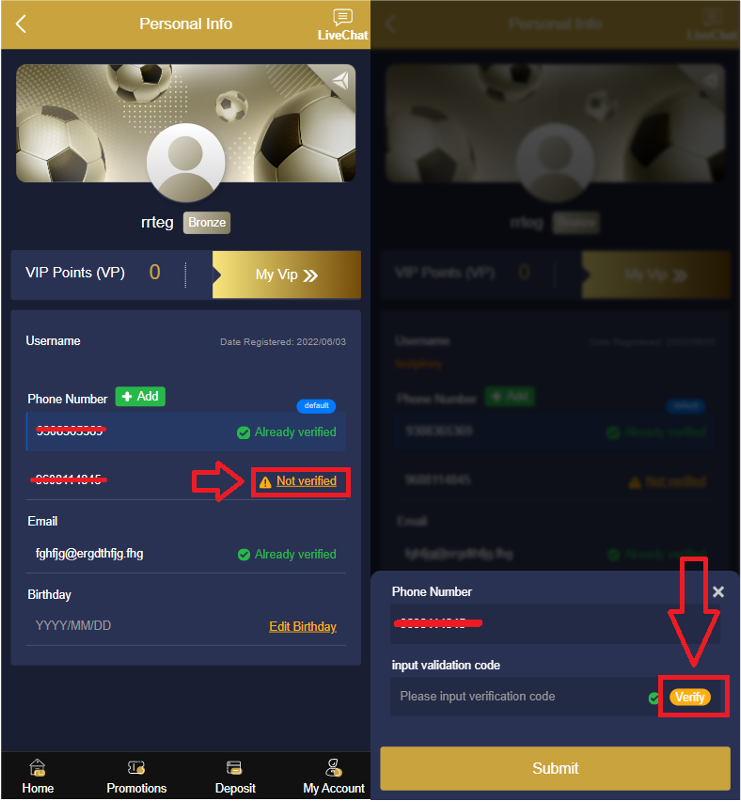



1. Go to My account and click Personal Info.
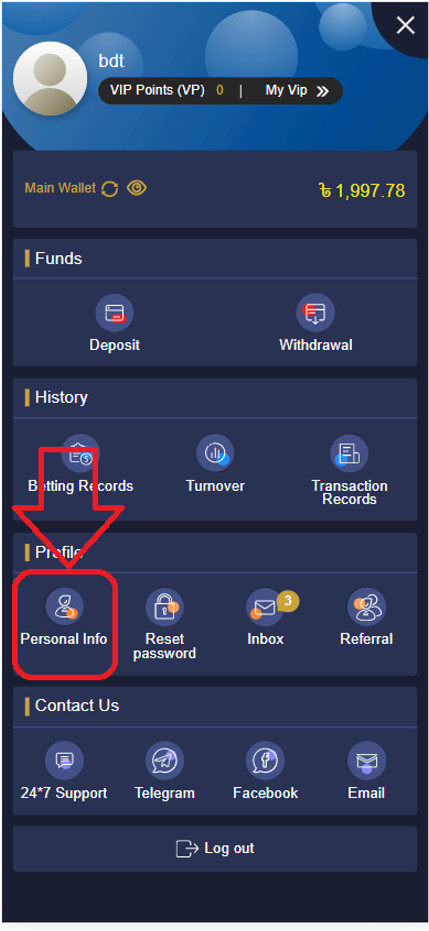
2. Click Add and enter the new number.

3. Click «verify» and you will receive a verification code to your first number, enter the verification code and click Submit.
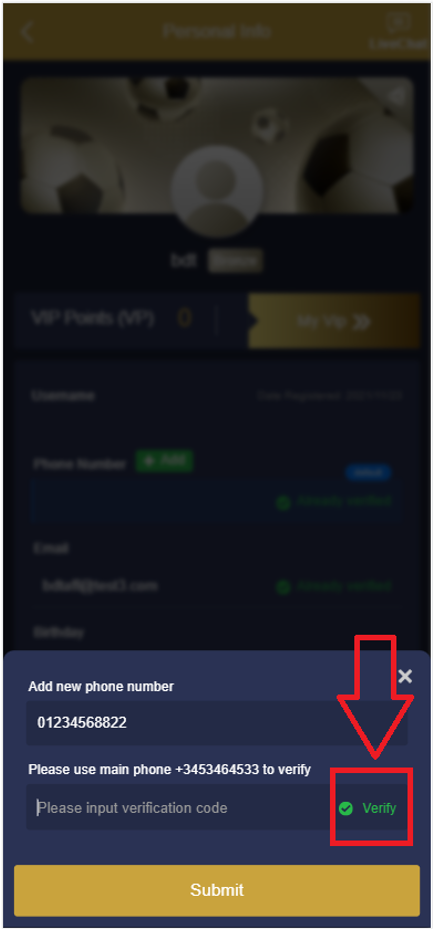
4. After adding the 2nd number, click «not verified» to verify the new number. You will receive a verification code to your new number, enter the verification code then click submit.